
Baby Love : Pregnance Tracker
ZUZA SOFTWARE LIMITEDParenting
0.00.00 Reviews
- Version
- 1.0.0
- Installs
- 10.00K
- Age Rating
- Everyone
Screenshots
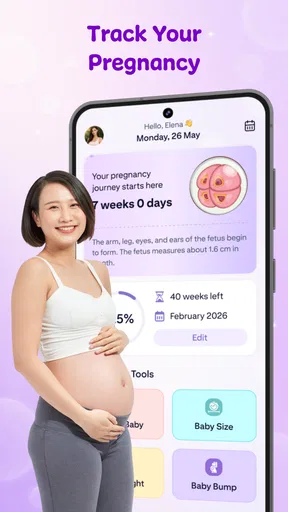
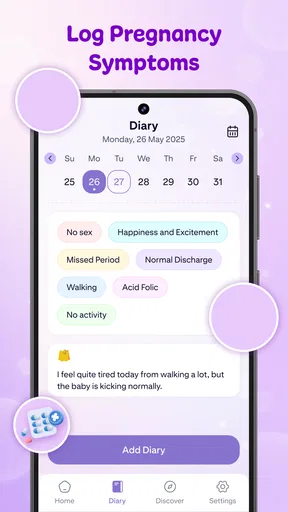
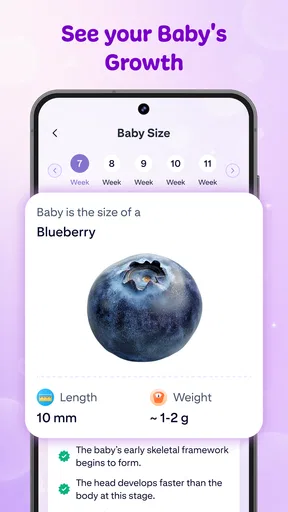
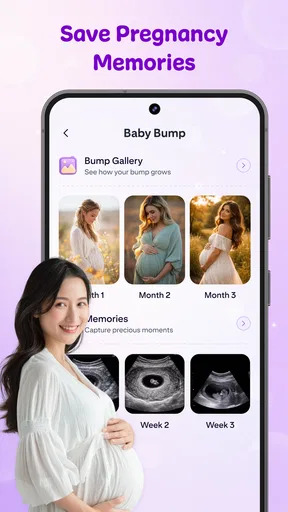
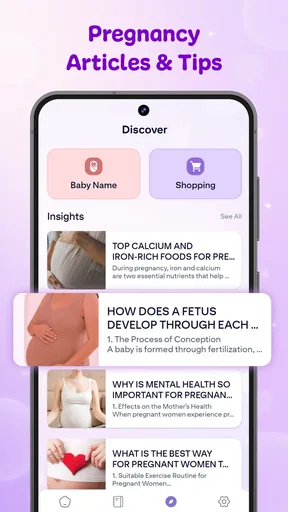
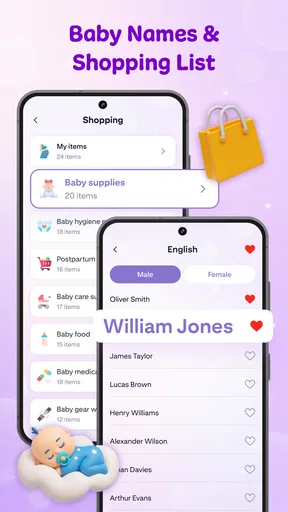
Our Review of Baby Love : Pregnance Tracker
 Analysis by Appyee
Pregnancy apps can easily become cluttered, especially when they try to cover medical advice, shopping, appointment planning, community discussions, and baby development all at once. Baby Love: Pregnance Tracker takes a more focused route. I see it as a simple parenting app for following a pregnancy week by week, keeping an eye on the due date, watching the baby’s growth, and saving personal moments along the way. That narrower purpose makes it easier to understand, but it also means it will not replace a complete pregnancy organizer or professional medical guidance.
After spending time with it, my impression is that Baby Love is best suited to someone who wants a calm, lightweight companion rather than an information-heavy dashboard. The app comes from ZUZA SOFTWARE LIMITED, is free to use, and is rated for Everyone. Its current release is version 1.0.0, so I approached it as a young product with a straightforward foundation and room to mature.
How Baby Love fits into a real pregnancy routine
The most useful way to think about this app is as a daily reference point. Instead of opening it only when you have a specific question, you can use it as a small weekly ritual: check where you are in the pregnancy, review the stage of development, and record something meaningful from that period. That makes the app feel more personal than a basic countdown, even though the central idea remains simple.
A realistic example would be opening Baby Love on a Sunday evening. You might check the current pregnancy week, look at the due-date progress, and add a short note about an appointment, a first movement, or how the week felt. Later, those saved moments can help you remember the experience in sequence rather than relying on scattered notes in a phone app. The strongest value is the combination of timeline and memory keeping, not any single screen considered by itself.
I also like that this approach does not demand constant attention. Many pregnancy tools encourage frequent reading, reminders, or comparisons. Baby Love can fit better into a routine where you want a quick check-in and then want to get on with your day. For a first-time parent who feels overwhelmed by too much information, that restraint may be welcome.
There is a practical detail worth considering before you begin: enter the pregnancy information carefully and keep the timeline consistent. A week-by-week tracker is only useful when its starting point is accurate. If you are moving from another app, I would first write down the due date and any important milestones, then add them deliberately rather than trying to recreate every old entry in a hurry.
What the weekly format does well
A weekly structure gives pregnancy a clear sense of progress. It turns a long period into smaller stages, which can make the experience easier to follow emotionally as well as practically. Instead of treating the due date as the only important marker, you get a series of moments that can be revisited.
That format is also useful when sharing the experience with a partner or close family member. You can use the current week as a conversation starter and keep personal notes that explain what was important to you, rather than sending someone a collection of disconnected updates. I would not treat those entries as a substitute for a medical record, but they can become a meaningful personal record.
Another less obvious benefit is reducing mental clutter. If you normally save pregnancy thoughts in a messaging app, a general notes tool, and a calendar, those memories become difficult to find later. Keeping them together in a dedicated pregnancy tracker creates a clearer habit. The trade-off is that you need to remember to use the app; a simple tracker cannot organize moments you never record.
Speed and the feel of everyday use
Because Baby Love is built around tracking and personal entries rather than demanding media or complex tools, I expect the everyday experience to feel lighter than that of large pregnancy platforms. Checking a week, viewing progress, or adding a brief memory should be the kind of task you can complete without turning it into a long session. That is important when you are standing in a waiting room, taking a quick break at work, or trying to remember something before it slips away.
The app’s current version is 1.0.0, which changes how I judge speed and smoothness. A first release can provide a clean basic workflow while still needing refinement as more people use it across different phones. I would therefore keep expectations realistic: it looks like an app intended for focused actions, not a full-featured platform that must instantly coordinate many sections at once.
My advice is to use it in short sessions. Open it when you have a clear purpose, update one memory, and close it. This avoids turning a simple tracker into another feed to scroll through. It also makes any occasional delay easier to live with because the app is not being asked to perform a long chain of tasks.
For heavy-use moments, such as entering several memories after ignoring the app for a few weeks, I would take a more careful approach. Add entries in chronological order and save each one before moving on. That workflow is slower than dumping everything in at once, but it reduces the chance of confusing dates or losing the emotional context of each note.
Reliability and recovering from interruptions
Reliability matters more here than flashy presentation. A pregnancy memory app earns trust when the timeline remains understandable and personal entries stay easy to find. I would be especially cautious about treating any app as the sole home for irreplaceable memories. Important photos, appointment details, or notes should also exist somewhere you already trust, such as a separate backup routine or a personal record.
This is not a criticism unique to Baby Love; it is a sensible habit for any new app that stores meaningful information. Since this is an early version, I would test the basic recovery routine before adding a large personal archive. Create a small entry, leave the app, return later, and confirm that the information still appears as expected. If you change phones, do not assume that every personal record will automatically follow you unless the app clearly supports that process.
Interruptions are another everyday test. A phone call, low battery, or accidental swipe can happen while you are writing. I recommend keeping early entries short until you understand how the app handles saving. A sentence or two is enough for a milestone, and you can expand your notes later if the workflow feels dependable.
The same principle applies to the due date. Treat it as a planning reference rather than an exact promise. Pregnancy timing can change, and medical professionals should guide decisions about dates and health. Baby Love can help you organize your personal timeline, but it should not be used to interpret symptoms, make clinical decisions, or replace appointments.
Device requirements and resource expectations
Baby Love supports Android 7.0 and later, which makes it accessible to people who are not using a recent phone. That is a practical advantage for families keeping an older device in service. It also suggests that the app is aimed at broad everyday compatibility rather than demanding the newest hardware.
Its focused purpose should make it a reasonable choice for users who want to avoid installing a large, resource-hungry pregnancy suite. Still, I would not claim that every device will behave identically. Phone age, available storage, background activity, and the wider software environment can all affect how any app feels. If your phone is already struggling, close unused apps and keep enough free space for normal operation before blaming a single tracker.
The Everyone content rating may make Baby Love comfortable for a household device or for sharing a screen with family members. That rating describes the intended content level, not the app’s role as medical advice. Parents and relatives can look at the timeline together, but health questions should remain with qualified professionals.
One device-related trade-off is convenience versus privacy. A dedicated pregnancy tracker keeps memories in one place, but that also means the phone becomes an important container for sensitive personal information. Use a lock screen, be thoughtful about who can access the device, and avoid recording details that you would not want visible if someone borrowed your phone. These habits are useful regardless of the app’s design.
Where it beats ordinary alternatives
Compared with a general notes app, Baby Love gives pregnancy memories a meaningful context. A note titled “week update” can be useful, but a dedicated timeline is easier to revisit as a story. Compared with a calendar, it offers a more personal record of growth and milestones rather than simply marking appointments. Compared with a large all-in-one pregnancy platform, its advantage is concentration: fewer competing purposes can mean less distraction.
The usual alternatives can still be better in specific situations. A calendar is the stronger choice for appointments and reminders. A medical portal is more appropriate for clinical information and communication with care providers. A general journal may be better if you want long-form writing, mood tracking, or entries unrelated to pregnancy. Baby Love works best when you want the middle ground between a countdown and a personal pregnancy diary.
That distinction is important because the store summary may sound broader than the actual role I would give the app in daily life. I would not install it expecting a complete preparation system. I would install it to follow progress and preserve moments without building the entire pregnancy around one tool.
Three practical ways to get more from it
First, create a consistent weekly check-in rather than opening the app randomly. Pick a day that already has a natural pause, then record one factual update and one personal detail. The factual note might describe a milestone, while the personal detail could capture a feeling, a conversation, or something you want to remember later. This creates a richer record without requiring lengthy writing.
Second, use the due-date view as a planning prompt, not just a countdown. When you reach a new stage, ask yourself whether there is anything you want to discuss at your next appointment or prepare at home. Baby Love may help you notice the passage of time, but the useful action happens when you turn that awareness into a question or task outside the app.
Third, separate memories from medical conclusions. Write down what happened in your own words, but avoid turning a personal observation into a diagnosis. For example, a note can say that you felt tired or noticed a change, while the health decision belongs with your clinician. This keeps the app valuable as a journal without asking it to do a job it was not designed to do.
A fourth tip is to keep entries specific enough to remain meaningful. “Good week” may make sense today but tell you little later. A short note about an appointment, a new feeling, or a family reaction will be far more useful when you revisit the timeline. The goal is not to write a perfect diary; it is to leave yourself a clear memory.
Who should use it, and who should skip it
I would recommend Baby Love to someone who wants a free, uncomplicated pregnancy companion with a clear weekly rhythm. It should appeal particularly to users who value personal milestones and want a dedicated place for memories without committing to a crowded ecosystem. It can also suit a partner who wants a simple way to follow the pregnancy and participate in the record.
I would be more cautious if you want detailed medical education, medication guidance, appointment management, community support, or extensive customization. In those cases, a specialized health service or a broader pregnancy platform may be a better primary tool. You can still use Baby Love alongside it for memories, but it probably should not be your only app.
I would also skip it if you dislike manual tracking. The personal value depends on entering moments yourself, and no tracker can create an authentic record without that small effort. Someone who wants everything to happen automatically may find a weekly memory workflow too hands-on.
My performance verdict
Baby Love: Pregnance Tracker is a focused parenting app with a sensible purpose: make the pregnancy easier to follow and give important moments a home. Its free availability, Everyone rating, and support for Android 7.0 and later make it approachable for a wide range of users. The early version means I would use it thoughtfully, test its saving routine, and keep separate backups for memories that matter deeply.
In performance terms, I see it as a short-session app rather than a demanding all-day tool. Its focused design should suit quick weekly checks, while heavier catch-up sessions deserve a more careful, step-by-step workflow. The main limitation is not that it tries to do too little; it is that users may expect a complete pregnancy management system when its real strength is simpler and more personal.
My final recommendation is to try Baby Love if you want a gentle weekly timeline and a dedicated space for pregnancy memories. Keep a calendar for appointments, rely on healthcare professionals for medical decisions, and use a separate backup for irreplaceable records. With those boundaries, this small app can become a useful part of a pregnancy routine without taking over the rest of it.
Verdict
Strengths of Baby Love : Pregnance Tracker
- Simple daily tracking for pregnancy symptoms and milestones.
- Helpful reminders for appointments, vitamins, and important dates.
- Clear week-by-week information supports first-time parents.
- Personal notes make it easy to record questions for doctor visits.
- Useful pregnancy timeline helps visualize upcoming stages.
Limitations of Baby Love : Pregnance Tracker
- Some features may require a subscription or in-app purchases.
- Content should not replace advice from a qualified healthcare professional.
- Reminder settings may feel limited for users with complex schedules.
- Information quality can vary depending on the selected pregnancy details.
- Privacy policies should be checked before entering sensitive health data.
Similar Picks in This Category
View All
Family Space
Motorola Mobility LLC.3.9

شرطة الأطفال - مكالمة وهمية
Oub Apps4.1

Findmykids: Parental Control
LETEM LTD4.6

Pregnancy + | Tracker App
Philips Electronics UK Limited4.8

Policía de niños - para padres
Kids police4.7

Pregnancy App
Amila4.9
Frequently Asked Questions
What is Baby Love: Pregnancy Tracker used for?
Baby Love: Pregnancy Tracker is designed to help expectant parents follow pregnancy progress week by week. It may provide information about fetal development, pregnancy milestones, appointment planning, reminders, and personal notes. The app is best viewed as an organizational and educational companion rather than a replacement for prenatal care, medical testing, or professional advice from a doctor or qualified healthcare provider.
How accurate are the pregnancy weeks, due date, and baby development information?
The app generally calculates pregnancy progress and an estimated due date from details such as the first day of the last menstrual period or another date selected by the user. These calculations are estimates, and the development descriptions are general guides. Actual pregnancy timing and fetal growth can vary, so users should confirm dates and medical information with their obstetrician or midwife, particularly when cycles are irregular.
Can Baby Love: Pregnancy Tracker replace a doctor or provide medical diagnosis?
No. Baby Love: Pregnancy Tracker should not be used to diagnose symptoms, assess complications, recommend treatment, or replace consultations with a healthcare professional. Pregnancy symptoms can have many causes, and information displayed in an app may not reflect an individual’s medical history. Contact a doctor or maternity service for concerns, and seek urgent medical help for severe pain, heavy bleeding, breathing problems, fainting, or other emergency symptoms.
Does the app require personal information, and is my pregnancy data private?
The app may ask for information such as pregnancy dates, symptoms, reminders, or notes to personalize its tracking features. Before entering sensitive details, review the app’s current privacy policy and the permissions requested on your device. Check whether data is stored locally or synchronized online, how it may be shared, and whether account deletion or data removal options are available.
Is Baby Love: Pregnancy Tracker free to download, and are there additional costs?
Availability and pricing can vary between Android and iOS, and the app may offer free features alongside advertising, premium tools, subscriptions, or optional in-app purchases. Check the store listing carefully before downloading, especially the subscription terms, trial period, renewal policy, and cancellation instructions. Confirm that the available features meet your needs before providing payment details or starting a trial.
